How to Calculate Percentage Decrease
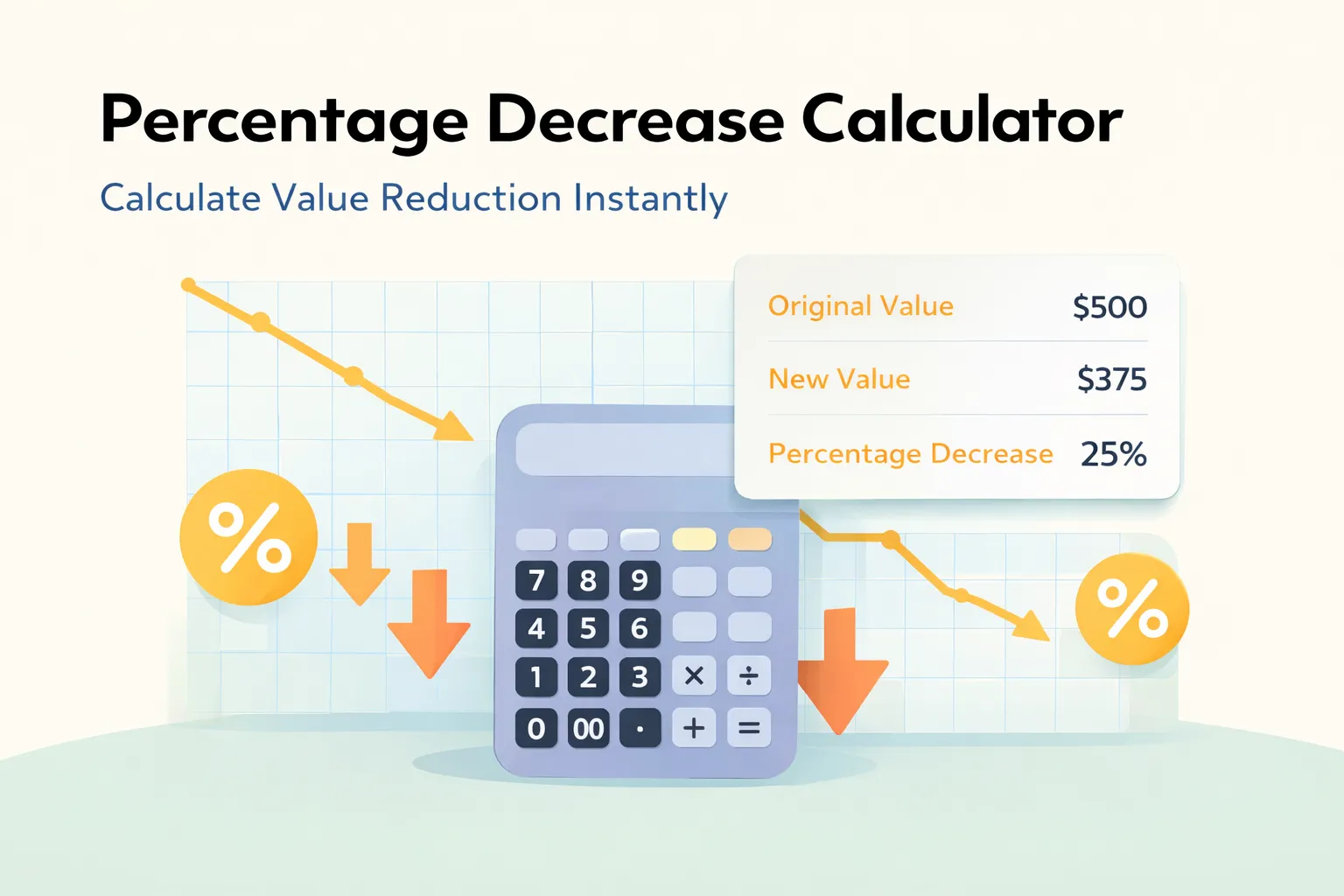
Calculating percentage decrease is straightforward when you follow these steps. Whether you're tracking price reductions, weight loss, sales declines, or any other decrease, the formula remains the same.
Step-by-Step Method
- Identify your values: Determine the original (starting) value and the final (ending) value
- Calculate the decrease: Subtract the final value from the original value
- Divide by original: Divide the decrease by the original value
- Multiply by 100: Convert to percentage by multiplying by 100
- Interpret the result: A positive result means decrease, negative means increase
Quick Example:
Price drops from $50 to $40: ((50 - 40) / 50) × 100 = 20% decrease
Percentage Decrease Formula Explained
The percentage decrease formula is a mathematical expression that calculates the relative change between two values. Understanding this formula helps you calculate decreases accurately in any situation.
Formula Components
- Original Value: The starting amount before the decrease
- Final Value: The ending amount after the decrease
- Difference: Original minus Final (the absolute decrease)
- Division: Dividing by original gives the relative change
- Multiplication by 100: Converts decimal to percentage
Alternative Formula Notation
You may also see the formula written as:
Where "Decrease" = Original Value - Final Value. Both formulas produce the same result.
Percentage Increase vs Decrease: What's the Difference?
Understanding the difference between percentage increase and decrease is crucial for accurate calculations and interpretation of results.
| Aspect | Percentage Decrease | Percentage Increase |
|---|---|---|
| Direction | Value goes down ↓ | Value goes up ↑ |
| Relationship | Final < Original | Final > Original |
| Formula | ((Original - Final) / Original) × 100 | ((Final - Original) / Original) × 100 |
| Example | 100 → 80 = 20% decrease | 80 → 100 = 25% increase |
| Common Uses | Discounts, weight loss, sales drops | Price hikes, growth, gains |
Important Note:
The percentage decrease from 100 to 80 (20%) is NOT the same as the percentage increase from 80 to 100 (25%). This is because the base value (denominator) is different in each calculation.
Common Use Cases for Percentage Decrease
Percentage decrease calculations are used in many real-world scenarios across business, finance, health, and analytics. Understanding these applications helps you apply the formula correctly in your specific situation.
💰 Business & Finance
- • Price discounts and sales (e.g., 30% off)
- • Revenue decline analysis quarter-over-quarter
- • Cost reduction tracking and optimization
- • Stock price drops and market corrections
- • Profit margin decreases and compression
- • Budget cuts and expense reductions
📊 Personal & Health
- • Weight loss progress tracking
- • Calorie reduction for diet plans
- • Debt paydown and loan reduction
- • Monthly expense reduction goals
- • Time savings from efficiency improvements
- • Energy consumption cuts and savings
📈 Analytics & Metrics
- • Website traffic drops and seasonal changes
- • Conversion rate declines and optimization
- • Customer churn and retention metrics
- • Engagement decreases on social media
- • Performance metrics and KPI tracking
- • Click-through rate (CTR) reductions
🏭 Operations & Production
- • Production output drops and capacity issues
- • Inventory reduction and stock optimization
- • Waste reduction initiatives and sustainability
- • Defect rate improvements in manufacturing
- • Efficiency losses and productivity tracking
- • Resource consumption cuts and conservation
💡 Pro Tip:
When tracking percentage decreases over time, always use the original baseline value as your denominator for consistent comparisons. This ensures your percentages are comparable across different time periods.
Real-World Percentage Decrease Examples
Let's explore practical examples that demonstrate how percentage decrease calculations work in everyday situations:
Example 1: Black Friday Sale
A laptop originally priced at $1,200 is on sale for $900. What's the percentage decrease?
Result: 25% discount (save $300)
Example 2: Weight Loss Journey
Someone weighs 180 pounds and loses weight to 162 pounds. What's the percentage decrease?
Result: 10% body weight reduction
Example 3: Sales Performance
Monthly sales dropped from $50,000 to $42,500. Calculate the percentage decrease.
Result: 15% sales decline (needs attention)
Example 4: Debt Reduction
Credit card debt reduced from $8,000 to $6,000 after 6 months. What's the decrease?
Result: 25% debt reduction (great progress!)
How to Calculate Percentage Decrease on a Calculator
You don't always need a specialized tool. Here's how to calculate percentage decrease using a basic calculator, smartphone, or Excel:
📱 On a Basic Calculator
- Enter the original value
- Press the minus (-) button
- Enter the final value
- Press equals (=) to get the decrease
- Press divide (÷) button
- Enter the original value again
- Press equals (=)
- Press multiply (×) button
- Enter 100
- Press equals (=) for the percentage
📊 In Microsoft Excel
Use this formula in any cell:
Where:
- A1 = Original value
- B1 = Final value
Alternative:
Format cells as percentage and use: =(A1-B1)/A1
📱 On Google Sheets
Same formula as Excel:
Or with percentage formatting:
Then format the cell as percentage (Format → Number → Percent)
🧮 Mental Math Shortcut
For quick estimates:
- 10% decrease: Final is 90% of original
- 20% decrease: Final is 80% of original
- 25% decrease: Final is 75% of original (3/4)
- 50% decrease: Final is half of original
Example: If something drops from 100 to 75, that's 25% off (one quarter)
Tips for Accurate Percentage Decrease Calculations
Avoid common mistakes and ensure accurate calculations every time with these professional tips and best practices:
✅ Do This
- • Always use the original value as the denominator
- • Double-check which value is original vs final
- • Round to 2 decimal places for clarity
- • Verify your result makes logical sense
- • Use a calculator for complex numbers
- • Keep track of units (dollars, pounds, etc.)
- • Document your calculations for reference
- • Compare results with similar scenarios
❌ Avoid This
- • Don't use final value as denominator
- • Don't confuse increase with decrease
- • Don't forget to multiply by 100
- • Don't use zero as original value
- • Don't mix up the order of subtraction
- • Don't ignore negative results (means increase)
- • Don't round too early in calculations
- • Don't compare percentages from different bases
⚠️ Common Mistake to Avoid:
Many people incorrectly think that a 20% decrease followed by a 20% increase returns to the original value. This is FALSE!
This happens because the 20% increase is calculated on the reduced base (80), not the original (100).
📚 When to Use Percentage Decrease vs Other Metrics:
- • Percentage Decrease: When comparing a value to its original state (e.g., price drops, weight loss)
- • Percentage Change: When direction (increase/decrease) is unknown or variable
- • Percentage Difference: When comparing two independent values without a clear "original"
- • Absolute Decrease: When the actual numeric change matters more than the relative change
Percentage Decrease Formula
The percentage decrease formula calculates the relative change between two values:
- Percentage Decrease = ((Original Value - Final Value) / Original Value) × 100
- Absolute Decrease = Original Value - Final Value
- If result is negative, it's actually a percentage increase
Example: Price Reduction
A product's price dropped from $100 to $80. Calculate the percentage decrease:
Frequently Asked Questions
How do you calculate percentage decrease?
To calculate percentage decrease: (1) Subtract the final value from the original value to get the decrease, (2) Divide the decrease by the original value, (3) Multiply by 100 to get the percentage. Formula: ((Original - Final) / Original) × 100.
What is the formula for percentage decrease?
The percentage decrease formula is: ((Original Value - Final Value) / Original Value) × 100. For example, if a price drops from $100 to $80, the percentage decrease is ((100 - 80) / 100) × 100 = 20%.
Can percentage decrease be negative?
No, percentage decrease cannot be negative. If your calculation results in a negative value, it means the value actually increased, not decreased. In that case, you should calculate percentage increase instead.
What is the difference between percentage increase and decrease?
Percentage decrease measures how much a value has gone down (final < original), while percentage increase measures how much it has gone up (final > original). Both use similar formulas but with different interpretations.
How to calculate percentage decrease between two numbers?
Subtract the smaller (final) number from the larger (original) number, divide by the original number, and multiply by 100. Example: From 50 to 40 = ((50-40)/50) × 100 = 20% decrease.
What if the original value is zero?
You cannot calculate percentage decrease if the original value is zero, as this would require division by zero (which is mathematically undefined). The original value must be a non-zero number.
How do you calculate percentage decrease on a calculator?
On a basic calculator: (1) Subtract final from original, (2) Divide result by original, (3) Multiply by 100. Example: 100 - 80 = 20, then 20 ÷ 100 = 0.2, then 0.2 × 100 = 20%.
Is percentage decrease the same as percentage change?
Percentage decrease is a type of percentage change. Percentage change can be either positive (increase) or negative (decrease). Percentage decrease specifically refers to when the value goes down.
How to calculate multiple percentage decreases?
For multiple decreases, apply each percentage sequentially. Example: 100 decreased by 10% = 90, then 90 decreased by 10% = 81. The total is not 20% but 19% (compound effect).