Why Aspect Ratio Matters
Aspect ratio is crucial for maintaining the visual integrity of your images and videos across different platforms and devices. When you resize content without preserving the aspect ratio, it becomes stretched, squashed, or distorted, creating an unprofessional appearance.
Whether you're creating content for social media, designing websites, editing videos, or preparing images for print, understanding and maintaining the correct aspect ratio ensures your content looks exactly as intended on every screen and platform.
Key Benefits:
- • Prevents image distortion and stretching
- • Ensures consistent appearance across devices
- • Maintains professional quality
- • Optimizes for platform requirements
- • Improves user experience
Common Aspect Ratios Explained
Different aspect ratios serve different purposes. Here's a comprehensive guide to the most common ratios and their uses:
16:9 (Widescreen)
The most common aspect ratio for modern displays, HD videos, and YouTube content.
4:3 (Standard)
Classic TV and computer monitor format, still used for presentations and some photography.
1:1 (Square)
Perfect square format popular on social media platforms like Instagram.
21:9 (Ultrawide)
Cinematic widescreen format for movies and ultrawide monitors.
9:16 (Vertical)
Vertical format for mobile-first content and social media stories.
3:2 (Photography)
Standard for DSLR cameras and photo prints.
How to Calculate Aspect Ratio
Calculating aspect ratio is straightforward once you understand the basic formula. Here's a step-by-step guide:
Method 1: From Dimensions
- Measure or note your dimensions: Get the width and height in pixels or any unit
- Divide width by height: This gives you the decimal aspect ratio
- Simplify to lowest terms: Find the greatest common divisor (GCD) and divide both numbers
- Express as ratio: Write as width:height (e.g., 16:9)
Example Calculation:
Method 2: Using This Calculator
- Enter your width and height ratio (or choose a preset)
- Enter one dimension in pixels (width or height)
- The calculator automatically calculates the other dimension
- View the simplified ratio and visual preview
How to Resize Images Without Distortion
Resizing images while maintaining aspect ratio is essential for professional-looking content. Here's how to do it correctly:
✅ Correct Method
- Calculate the aspect ratio of your original image
- Decide on your target width OR height (not both)
- Use this calculator to find the matching dimension
- Resize to the calculated dimensions
- Verify the result looks proportional
❌ Common Mistakes
- • Arbitrarily choosing both width and height
- • Stretching to fit without maintaining ratio
- • Using "stretch to fill" options
- • Ignoring aspect ratio warnings
- • Not checking the final result
Platform-Specific Guidelines
| Platform | Content Type | Aspect Ratio | Recommended Size |
|---|---|---|---|
| YouTube | Standard Video | 16:9 | 1920×1080 |
| Feed Post | 1:1 or 4:5 | 1080×1080 | |
| Stories/Reels | 9:16 | 1080×1920 | |
| TikTok | Video | 9:16 | 1080×1920 |
| Post Image | 1.91:1 | 1200×628 | |
| Post Image | 16:9 | 1200×675 |
Aspect Ratio Calculation Formula
The aspect ratio calculator uses these formulas to maintain proportions:
- Aspect Ratio = Width ÷ Height
- If Width changes: New Height = Width ÷ Aspect Ratio
- If Height changes: New Width = Height × Aspect Ratio
- Simplified Ratio = GCD(Width, Height)
Example: Resize Image to 16:9
You have an image that's 1920 pixels wide and want to maintain 16:9 aspect ratio:
Frequently Asked Questions
What is aspect ratio?
Aspect ratio is the proportional relationship between width and height of an image, video, or screen. It's expressed as two numbers separated by a colon (e.g., 16:9), where the first number represents width and the second represents height.
How do I calculate aspect ratio?
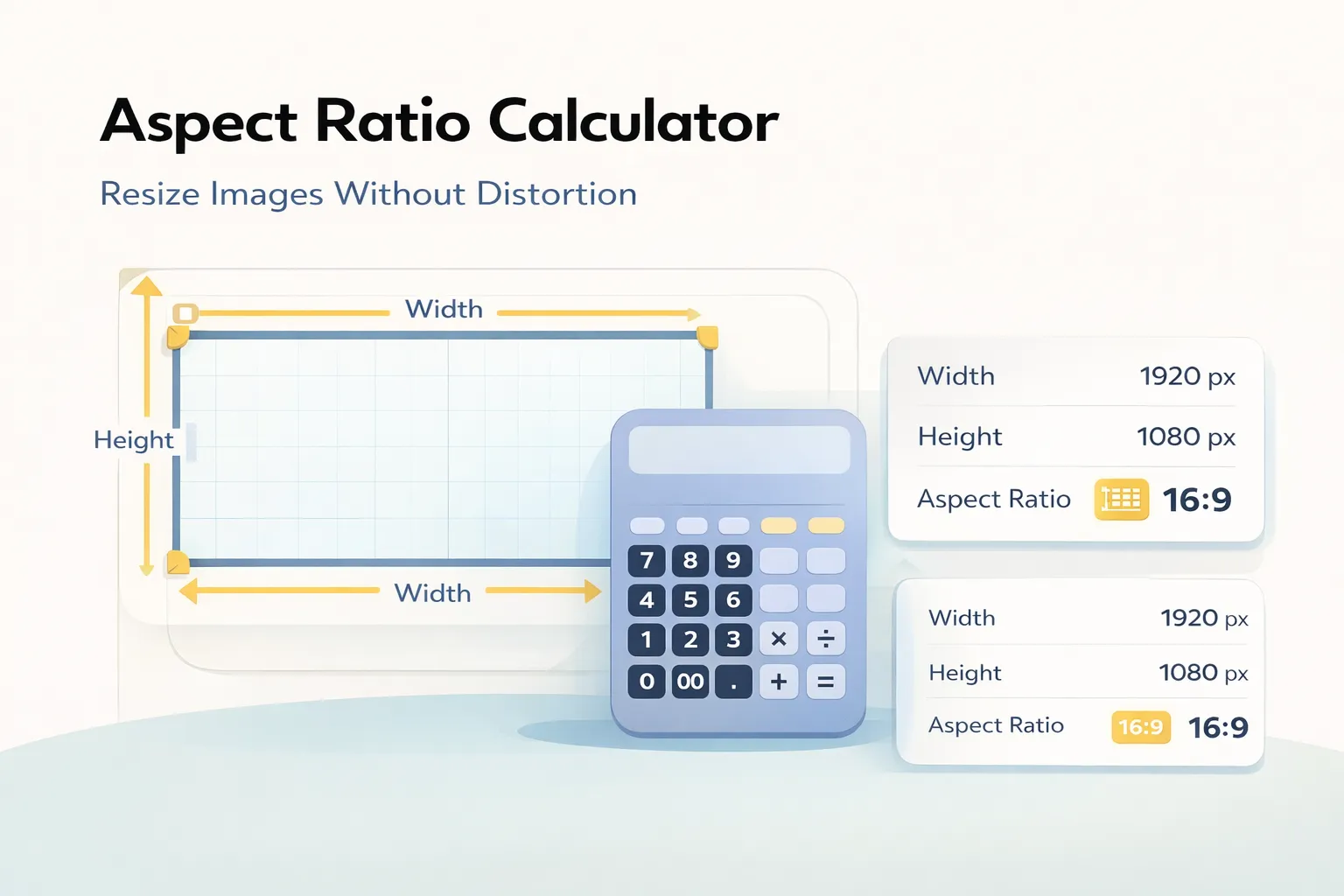
To calculate aspect ratio, divide the width by the height and simplify to the lowest common denominator. For example, 1920÷1080 = 1.778, which simplifies to 16:9. You can also use this calculator to find the aspect ratio automatically.
What is 16:9 ratio in pixels?
16:9 ratio can be any resolution where width÷height = 1.778. Common 16:9 resolutions include: 1920×1080 (Full HD), 1280×720 (HD), 3840×2160 (4K), and 7680×4320 (8K).
What aspect ratio is best for YouTube?
YouTube recommends 16:9 aspect ratio for standard videos. The optimal resolution is 1920×1080 (Full HD) or 3840×2160 (4K). Vertical videos (9:16) are also supported for YouTube Shorts.
What is the difference between 16:9 and 4:3?
16:9 is a widescreen format (1.78:1) used in modern TVs and videos, while 4:3 is a standard format (1.33:1) used in older TVs and monitors. 16:9 is wider and better suited for cinematic content.
How do I resize an image without distortion?
To resize without distortion, maintain the original aspect ratio. Calculate the new dimensions using this calculator, then use image editing software to resize to those exact dimensions. Never stretch or squash images arbitrarily.
What aspect ratio is Instagram?
Instagram supports multiple aspect ratios: 1:1 (square) for feed posts, 4:5 (portrait) for feed posts, 9:16 (vertical) for Stories and Reels, and 1.91:1 (landscape) for feed posts. The platform automatically crops to fit.
Can I use custom aspect ratios?
Yes! This calculator supports custom aspect ratios. Simply enter your desired width and height ratio (e.g., 5:4 or 2.35:1), and the calculator will maintain those proportions when you enter pixel dimensions.
What is 21:9 aspect ratio used for?
21:9 (2.33:1) is an ultrawide aspect ratio used for cinematic movies, ultrawide monitors, and immersive gaming. It provides a wider field of view than standard 16:9 displays.